Day Disco
Audio
DownloadVideo
Watch on YouTubeTalk description
Welcome to your obligatory ffconf browser disco! This talk will cover the current state of media APIs and what's coming next.
Session Summary
Ruth John throws a working day disco live from a browser tab and hands you every wire as she goes. A kick drum drops out of an OscillatorNode, a clap loads from a fetched WAV, eight buttons become a step sequencer driven by a look-ahead scheduler so the timing actually holds, a USB pad triggers it all through Web MIDI, and an <audio> element handles the bass like a warm hug. Then she lights the room: OffscreenCanvas and Path2D draw the disco balls, AnalyserNode makes them pulse to the bass, and Media Session puts the track on the OS media keys.
View detailed generated session topics, quotes and video timestamps
Setting the scene: day disco (0m30s)
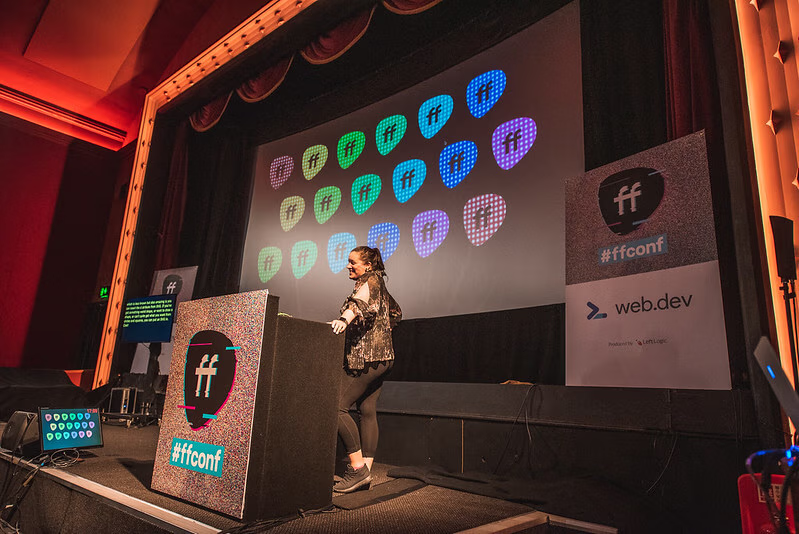
Ruth opens with the running joke that Remy wanted "a massive disco ball coming down from the ceiling" — and her counter-proposal: build the whole disco in the browser instead. The genre is day disco, the kind of mellow tropical beats you'd listen to on a sun-lounger.
"Remy emailed me over the summer and he said, 'Can we get like a massive disco ball coming down from the ceiling?'"
"the kind of relaxing, almost tropical beats that you would listen to when you are sitting by a blue pool"
"we are gonna sit back, drink in hand"
Building a kick drum from an oscillator (1m31s)
The Web Audio API has four entry points for sound: HTML media elements, fetched files, oscillators and raw buffers. She builds a kick drum by creating an OscillatorNode at 130Hz, a GainNode for volume, and using linearRampToValueAtTime on both the frequency and the gain over 300ms — the frequency drop creates the "thump" envelope a kick drum needs.
"audio really is just data"
"the magic comes when you start to manipulate those numbers"
"I'm dropping it over 300 milliseconds — nice and gently"
Tom, laser, clap from a sample (5m40s)
Bump the frequency a bit, get a tom; switch the waveform from sine to triangle and ramp differently, get a laser sound effect. Claps are hard to synthesise convincingly, so she loads a small WAV file via fetch, decodes it through decodeAudioData, and plays it back with an AudioBufferSourceNode — the standard sampler approach.
"if you wanted to know how to make a laser sound, that's it. We're done"
"this is quite hard to synthesise. It is possible, but it's a little bit harder, and rather than trying to do it with the techniques that I was just showing you, I'm actually just gonna get a file that plays a clap"
"samples are usually small sound files that have been recorded"
A step sequencer (8m43s)
Three drum sounds, eight steps, a grid of buttons — the standard step-sequencer interface. The interesting trick is the timing: setInterval runs a look-ahead scheduler that decides which sounds should play in the next chunk, and requestAnimationFrame consumes that schedule in real time so the timing stays accurate.
"I'm using setInterval... to look at the next chunk of time and work out when I want things to be played"
"Chris Lowis's article — Making Drum Sounds with the Web Audio API — is a really good article to get you started"
"the timing... is actually probably the most complicated bit"
Web MIDI for hardware controllers (12m18s)
A USB MIDI controller plugs into the browser via navigator.requestMIDIAccess(). Every press, dial-turn or pad-hit sends a numeric MIDI message that you map to your own functions. Her tip: keep a CodePen open that logs incoming MIDI values so you can find out what numbers each controller actually sends.
"all I'm doing... is just requesting access to that from the navigator"
"the on MIDI success function is basically just looking at it and waiting for numbers to come in"
"every single time I plug in something different, I will go and use that CodePen to try and work out what the values are, because they tend to vary per instrument and per controller"
Audio cheat: just use HTML (14m20s)
For the bass and chord layers she "cheats": play a pre-recorded loop through an <audio> element. HTML is the big warm hug that handles streaming, buffering, controls and playback state for free.
"HTML, like a big warm hug — 'oh by the way, I wanna do all these things'... 'thanks for doing it all for me'"
"track made — well done, everyone"
"I really wish I had notes — I have no idea what's gonna happen now"
Media Session API (15m21s)
The navigator.mediaSession API lets your page expose track metadata and play/pause/seek/next-track action handlers to the OS — so your song shows up next to the system clock on macOS, gets a play button in Chrome's title bar, and is controllable from hardware media keys.
"this basically lets you specify things like metadata about what is playing, and it also lets you hook into some sort of actions when media is playing"
"it's a good idea with any of the actions in this API to use a try/catch, just in case the hardware support isn't there"
"if you have different sessions in different tabs, it will actually list them all... so you forgot that you had that podcast tab open"
Disco lights with Canvas (18m29s)
The visual side: a row of circles on a 2D <canvas>. The under-used trick is OffscreenCanvas — either transfer your canvas to a Web Worker and use requestAnimationFrame there, or just create an off-screen canvas to draw your pattern tile on once and use it as a fill pattern on the visible canvas.
"you can create a Canvas element, and transfer control to offscreen, and then post that Canvas to a worker"
"I have request animation frame in workers now, so that's super powerful — you can basically just offload all of your Canvas code to a worker"
"I'm basically just creating a new offscreen, tiny little offscreen Canvas, and then I'm going to draw on that the pattern that I want to fill"
Path2D and the SVG d attribute (19m30s)
Path2D separates a path from the canvas — you can build a library of named shapes once and reuse them across draws. Its second hidden superpower: you can pass an SVG d attribute straight into a Path2D constructor and get a complex outline shape onto the canvas without translating it call by call.
"you can insert the d attribute from SVG... so if you've got something kind of a weird shape or you wanna draw a shape that you can't quite get from circles and squares, you can just put an SVG in"
"I can just have a library of shapes and just pull them out and fill them whenever I want"
"[Path2D] doesn't, sort of, separate it from the Canvas itself"
AnalyserNode for audio-reactive visualisation (22m06s)
The grand finale: drop an AnalyserNode into the audio graph, ask it for the volume on each frequency band every frame, and drive the colour/size/animation of the canvas circles from that data. The disco lights respond to the bass.
"this feature from the Web Audio API is actually gonna analyse the audio that I'm playing, and give me back a gain or a volume value for all the frequencies that it can find"
"flashing lights just about to happen"
"should we ramp it up a bit? I feel like day disco isn't quite gonna make it up to the evening"
About Ruth John
Twenty years ago I finished my degree and promised myself I wouldn't pursue a job in programming after a disastrous unit in Java... Then someone offered me a PHP job and I was also pretty bad at that, but quite ok at HTML, CSS & JS it turned out. Never say never, but ask me again in twenty years.